Workspaces and responsibility
Keep teams, assignments, evidence, and progress within the right scope. Current prototype controls include hierarchical workspaces, scoped access, and recorded finding ownership and activity.
Clarity Core is the heart of accessibility remediation. Powerful on its own. Your entry edition.
Bringing a complete accessibility solution: scanning, evaluation, recommendations, remediation, automation, verification, evidence, and progress tracking into one connected workspace—powerful on its own and the entry edition of Clarity, with Clarity Enterprise and Clarity Multiclient as the editions that add more.
Software in active development.
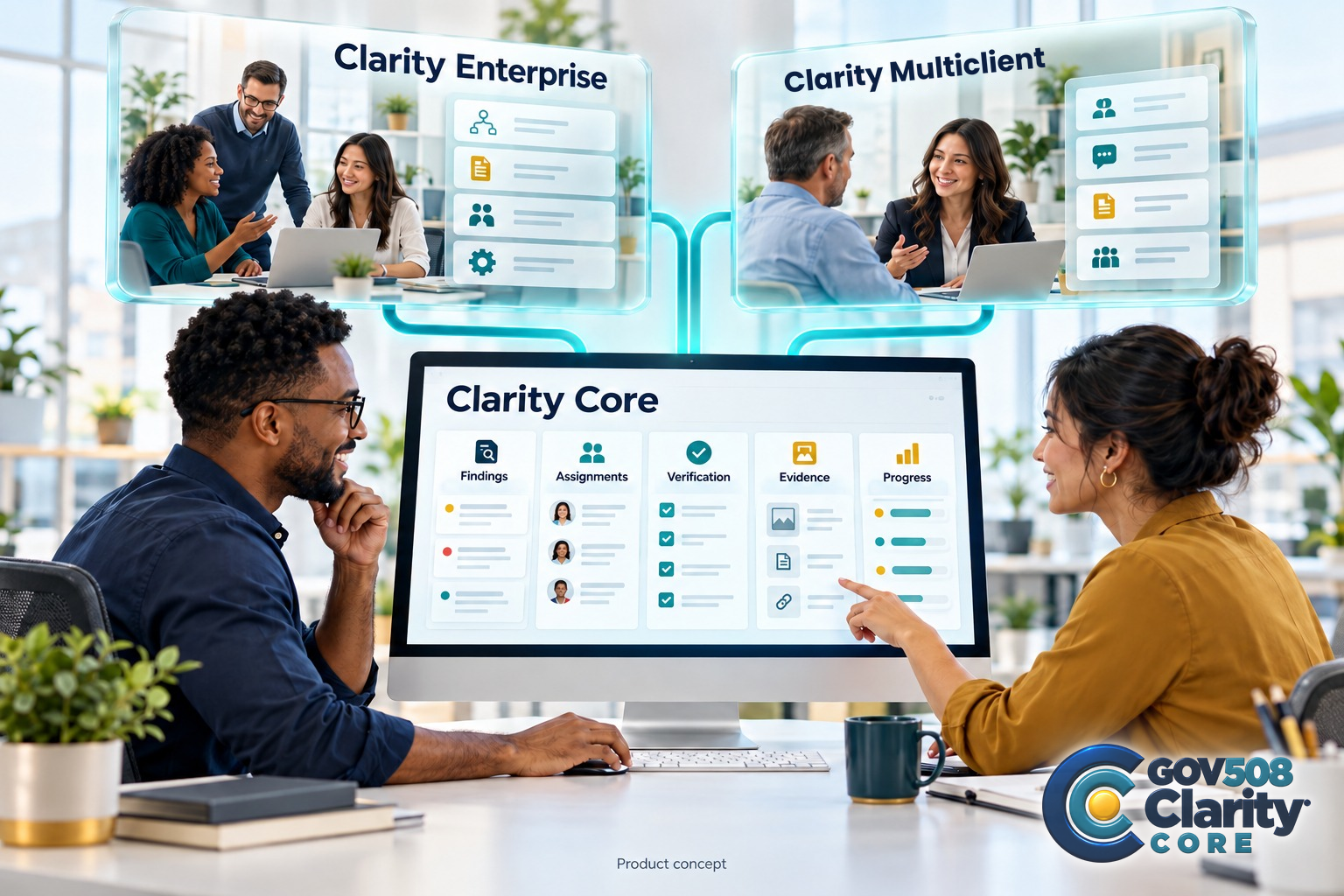
Built for hands-on teams
A finding is only the beginning. Someone needs to own it, act on it, verify the change, and keep the evidence. Core is being built to connect that work in one consistent record.
For small businesses and organizations managing accessibility themselves, Core is a product in its own right. Use it independently, or build on it as your operating needs grow.
Clarity Core
Core connects your records, permissions, workspaces, and workflows as a standalone Accessibility Business Suite. Its built-in Core Features bring together Audit & Test, Build & Fix, and Governance & Reporting, with basic communications and required Learning support. Add capabilities individually or through Clarity Enterprise or Clarity Multiclient as they develop.
Keep teams, assignments, evidence, and progress within the right scope. Current prototype controls include hierarchical workspaces, scoped access, and recorded finding ownership and activity.
Supported imports and manual observations feed one record. Assign owners, record remediation, keep verification distinct, and retain the history.
Keep supporting context with the work. Current exports include organization reports and evidence in JSON; expanded report formats are planned.
Approved-knowledge guidance is available in the current demo within the selected context. Expanded assistance, training, and approved automation remain in development.
Learning is part of the Core baseline. A guide library and training references are being prepared; Gov508 training videos and accessible alternatives are not yet available in the public demo.
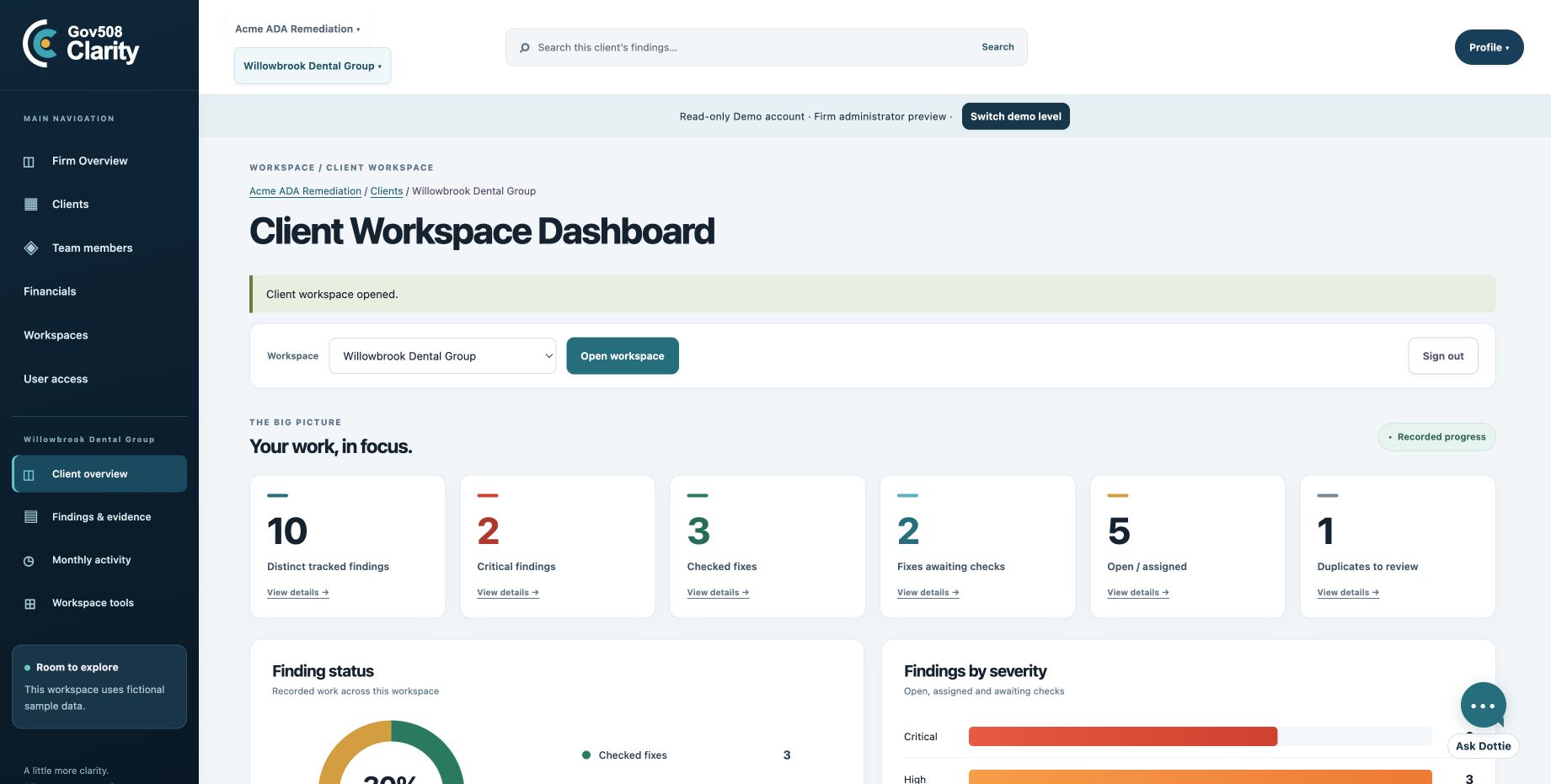
The selected firm is Acme ADA Remediation and the selected client is Willowbrook Dental Group. Firm navigation includes Firm Overview, Clients, Team members, Financials, Workspaces, and User access. Client navigation includes Client overview, Findings & evidence, Monthly activity, and Workspace tools.
The Client Workspace Dashboard shows 10 distinct tracked findings, 2 critical findings, 3 checked fixes, 2 fixes awaiting checks, 5 open or assigned findings, and 1 duplicate to review. These are fictional work records, not a compliance score, testing-coverage measure, or certification.
Tools and repositories
The suite’s extension-based design supports native capabilities and connections to specialist tools. Integration availability will be confirmed as each connector is developed.
Assess public website pages and keep findings, assignments, remediation records, independent verification, and evidence together. Current native scanning supports public-link and sitemap discovery and promotion into findings; the browser tab must remain open during a run. Desktop and mobile assessment are part of the Core scope; coverage depends on the methods and views actually tested. Generated or automatically applied code repairs remain in development.
This Core Feature is being developed for PDFs, Word documents, spreadsheets, and presentations, using the same findings, permissions, remediation, verification, evidence, history, and reporting. These are intended format families; document scan and repair engines are not yet delivered for every format. Both Scan & Fix Features belong to Core; neither requires an add-on Extension purchase for its baseline scope.
The planned model connects to existing repositories, including SharePoint and OneDrive, while source documents stay where you store them. Clarity retains compliance results, metadata, and history. Repository connectors and the access gateway remain in development.
Eligible capabilities may be added individually or received through an edition; individual licensing and edition inclusion will be identified as each extension develops. White Label, expanded automation, mobile reporting, ACR/VPAT workflows, and further integrations are part of the development direction.
The planned mobile app provides dashboards, reports, trends, and visibility. Mobile is for reporting, not scanning, remediation, or administration.
A clear view of development
Explore Clarity with interactive fictional-data practice in your private demo workspace. Available actions depend on the selected sample role; reader roles retain view-only operational access. Financial entries are practice records and move no real money. Dottie uses approved knowledge; paid AI requests are disabled in the demo.
Native website scanning and fix/verification tracking are available within supported roles. Document engines, generated or applied source-code repairs, repository connectors, expanded automation and reporting, and the mobile reporting app remain in development. A screenshot or roadmap item does not mean a capability is ready for production.
Clarity’s direction is to reduce repeated entry, highlight useful next actions, and let Dottie propose helpful shortcuts. Proposed automation should show what will happen and offer Yes, Modify, or Not yet.
Choose what comes next
Core includes basic collaboration and communications. Add extensions individually to suit your work, or choose Enterprise or Multiclient for a broader set of capabilities.
Your software investment
Start with a capable product in its own right: connected workspaces, responsibility, findings, evidence, and progress. Add individual extensions as you need them, or choose a bundle.
Software in active development. Review current capabilities and planned scope before purchase.
Clarity Core software
$199/month
Available on its own. Individual extensions and bundles are optional.
Discuss Clarity CoreMonthly software base only. Optional extensions, additional capacity, setup, and dedicated infrastructure charges are separate.
Build the next chapter with us
Tell us about your firm, agency, or program. Let’s discuss Clarity, a pilot, or the professional support you need.
Data Capacity Blocks · Across the suite
Your software choice determines the capabilities you use. Data Capacity Blocks cover additional processing and data needs, with the same block pricing across Clarity Core, Clarity Enterprise, and Clarity Multiclient.
Choose the software that fits your work, then plan additional capacity around your workload.
Discuss your capacity needsBlock sizes and rates are in development. Included allowances, usage thresholds, and charges will be defined before purchase. Data Capacity Blocks are priced separately from the monthly software base.